
Key Takeaways
-
Check your network before buying: bandwidth, latency, jitter, Wi-Fi coverage, power backup, and failover must be tested at every site, since poor internet will ruin call quality on any platform.
-
Build a 3-to-5 year total cost picture, including per-user fees, calling and international charges, number porting, network upgrades, devices, integrations, taxes, and any remaining legacy contracts.
-
Verify 911 handling in writing, including direct dialing, on-site notification, and dispatchable location for multi-site and remote or mobile users, since these U.S. obligations apply to multi-line and VoIP systems.
-
Start number porting early and pilot the system with one team before a phased, site-by-site cutover, keeping a fallback plan ready to avoid service disruption.
-
Ask providers about encryption, admin roles, audit logs, data retention, incident response, and SOC 2 reports, but remember vendor compliance claims do not make your own business compliant.
-
Choose a platform based on your role: small businesses need simple pricing and one vendor, while enterprises and franchises should prioritize integrations, central admin, and consistent rollout across locations.
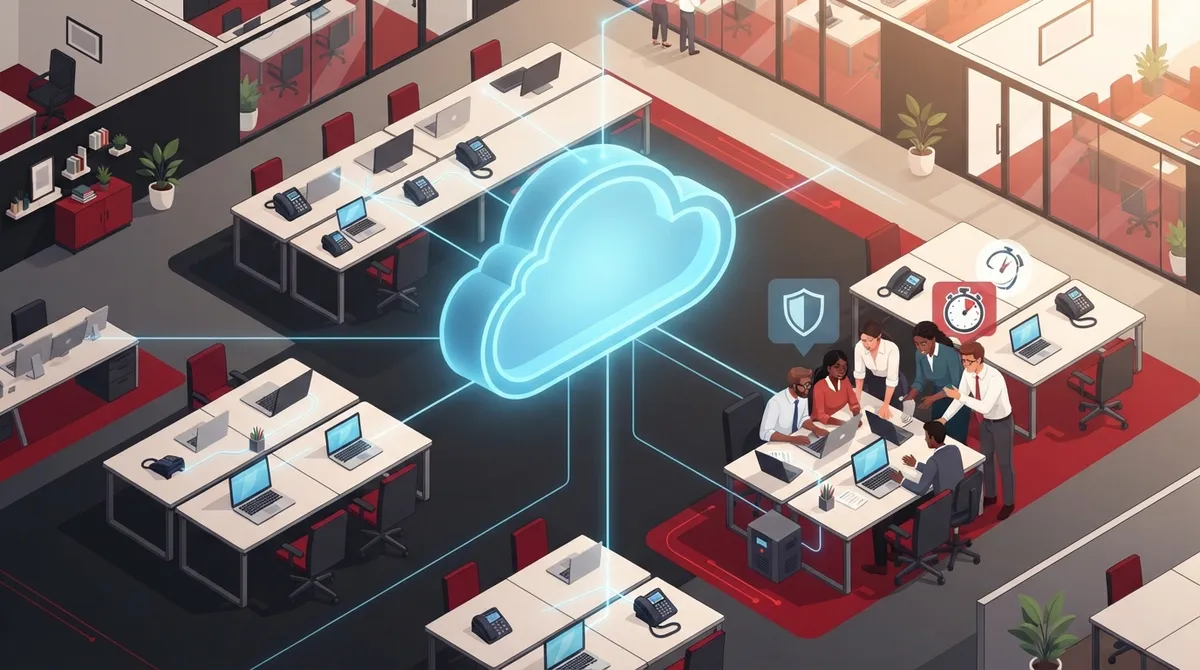
Picture this: it is Monday morning, and your sales team in Tampa, your support crew working from home, and your new satellite office in another state all need to answer the same business line. With old-school phone gear, that sounds like a headache. With an enterprise cloud phone system, it is just another day.
An enterprise cloud phone system moves your business calling off aging on-site equipment and onto a provider-hosted platform. It runs over the internet and often comes bundled with messaging, meetings, and other tools. That sounds great, but the right choice depends on cost, network readiness, security, and even emergency calling rules.
In this friendly guide, we will walk through how these systems work, what they cost, what to check before you buy, and how to switch without chaos. Whether you run a small shop, manage IT for a growing company, or oversee a multi-location franchise, you will find clear, practical answers here.

What Is an Enterprise Cloud Phone System?
An enterprise cloud phone system is a business telephony service hosted by a provider and delivered over IP networks. Instead of a big phone box (a PBX) humming in a closet at every office, the provider runs the core system in secure data centers. Your team connects through desk phones, computer apps, or mobile apps.
It is commonly sold as part of Unified Communications as a Service, or UCaaS. UCaaS may combine calling with chat, video meetings, and collaboration tools in one package. If you want a plain-language primer first, our guide on what a cloud phone system is and how it works covers the basics.
Cloud PBX, VoIP, and UCaaS: What Is the Difference?
These terms get mixed up a lot. Here is a simple way to tell them apart.
- VoIP is the technology that sends voice calls over the internet.
- Cloud PBX is the hosted phone system that manages extensions, call routing, and voicemail.
- UCaaS is the bigger bundle that adds messaging, meetings, and collaboration to calling.
Think of VoIP as the road, cloud PBX as the car, and UCaaS as the whole travel package. If you want to go deeper on hosted options, see hosted vs. on-premises business phone systems.
Why Businesses Are Moving to the Cloud
Cloud calling has grown fast, though the numbers vary by source, so it helps to read them with care. A 2026 industry roundup citing Metrigy data counted 117.1 million UCaaS seats worldwide at the end of 2025, up 6.9% year over year. That is an industry estimate, not a government count.
The same roundup said Microsoft, Cisco, Zoom, and RingCentral together held 53% of worldwide UCaaS seats in 2025, depending on how the source defines the market. A 2025 Metrigy survey also found that 58.6% of surveyed businesses used only UCaaS, while 32.7% used multiple phone-system types. Those are survey results, not universal adoption rates.
Another data point: a 2024 AVANT report, summarized in 2026, said 58% of surveyed U.S. companies with more than $1 million in revenue used cloud-based UCaaS, compared with 47% before the pandemic. Again, that is a survey finding, not a census.
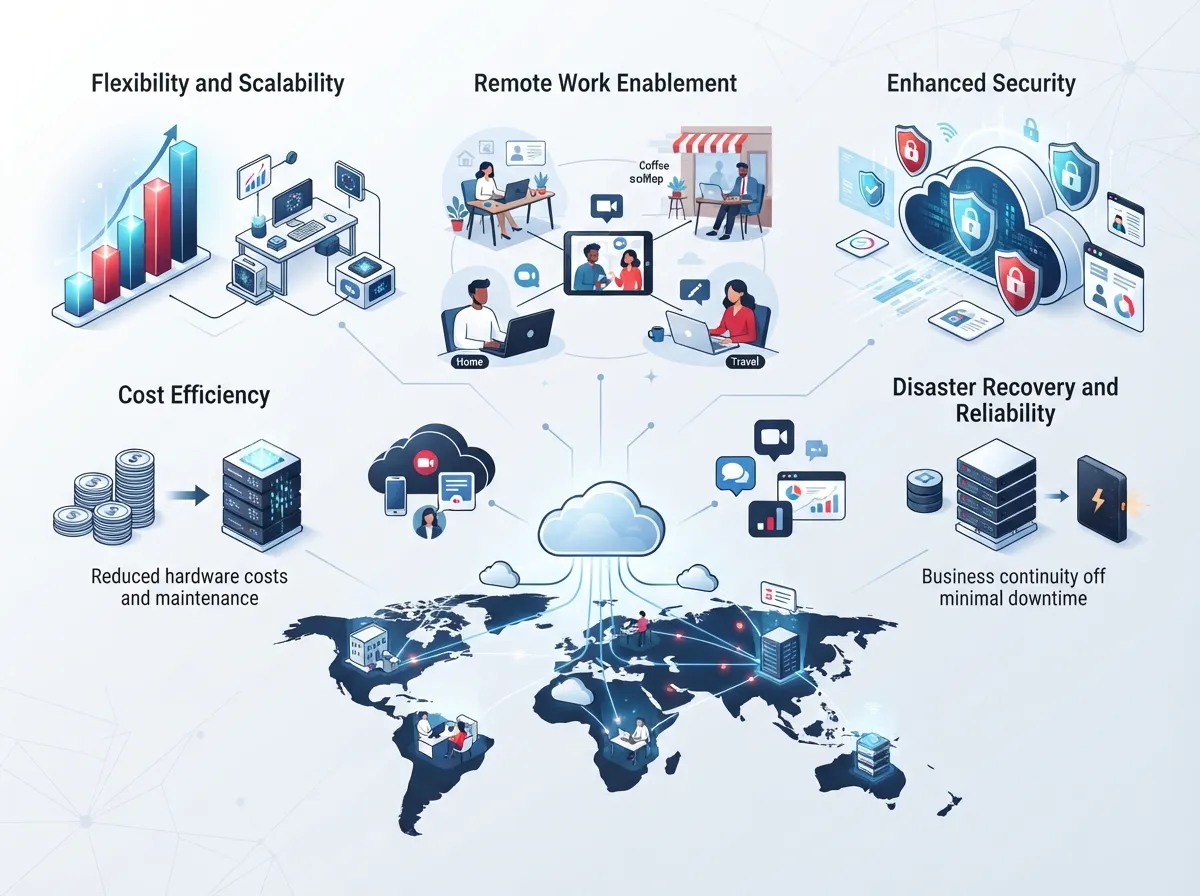
So why the shift? The big draws are simple.
- One system for every location. You do not need a traditional PBX at each site.
- Central control. Admins can manage users and call flows from one dashboard.
- Flexible endpoints. Keep desk phones, use softphones, or mix both.
- Support for remote and hybrid teams. Staff can take business calls from home or on the road.
Key Features to Look For
Features vary by provider and plan, so always check the fine print. Most enterprise-ready platforms offer a core set of tools.
| Feature | What It Does | Why It Matters |
|---|---|---|
| Auto attendant | Greets callers and routes them by menu | Makes a small team sound polished |
| Call queues and routing | Distributes calls to the right group | Cuts hold times and missed calls |
| Voicemail and transcription | Delivers messages by app or email | Helps staff respond faster |
| Call recording | Saves calls for review or training | Supports quality and record-keeping |
| Analytics and reporting | Shows call volume and trends | Guides staffing decisions |
| Desktop and mobile apps | Lets users call from any device | Keeps remote teams connected |
| Conferencing | Hosts voice and video meetings | Reduces the need for extra tools |
Not sure which extras you will really use? Our breakdown of VoIP features that help your business grow can help you separate the must-haves from the nice-to-haves. You can also review 12 VoIP phone system features every business needs in 2026.
What Does an Enterprise Cloud Phone System Cost?
Here is the honest answer: it depends. Moving to the cloud is not automatically cheaper or simpler in every case. The monthly per-user price is only one piece of the puzzle.
Costs That Add Up
- Subscriptions for each user or seat
- Calling and international usage beyond any included minutes
- Number porting to keep your existing numbers
- Network upgrades such as switches, Wi-Fi, or more bandwidth
- Devices like desk phones and headsets
- Integrations with your CRM or other business tools
- Support plans, taxes, and fees
- Leftover legacy contracts or equipment still under term
Before you sign anything, build a full cost picture over three to five years. That includes what you will keep paying on the old system while you transition. For help with the math, read 9 costs behind how much a business phone system costs and how to budget for business VoIP pricing in 2026.
Get Your Network Ready First
Here is a friendly truth that saves a lot of frustration: even the best cloud phone platform will sound bad on a weak network. Call quality depends on both the provider and your own setup. Because the calls travel over your internet connection, your network has to be ready.
What to Check Before Deployment
- Bandwidth. Make sure you have enough capacity for voice, video, and your everyday traffic at the same time.
- Latency and jitter. These measure delay and uneven timing. Both can cause choppy or echoing calls.
- Wi-Fi coverage. Walk the building. Dead spots and crowded channels hurt calls on softphones and mobile apps.
- Power resilience. If desk phones rely on Power over Ethernet, think about backup power for the switches.
- Failover options. Plan for what happens if your main internet line goes down.
- Site-by-site testing. Test call quality at every location, not just headquarters.
Cabling matters here too. Solid wiring is the quiet hero behind clear calls, and structured cabling gives your phones, computers, and cameras a clean, organized foundation. See how to plan VoIP phone cabling that works in 2026 for practical tips.
Internet resilience is just as important. If one connection fails, automatic failover can keep calls flowing. Our guide to automatic internet failover tips for business explains how, and Is VoIP reliable for business? digs into what to expect during an outage.
Security and Compliance Questions to Ask
Your phone system carries sensitive conversations, customer details, and sometimes recorded calls. So security deserves a real look, not a quick glance at a brochure.
When you evaluate an enterprise provider, ask about these areas:
- Encryption for calls and stored data
- Identity and access management, including strong login controls
- Administrative roles so staff only see what they need
- Audit logs that track who changed what
- Data retention rules for recordings and voicemail
- Incident response plans if something goes wrong
- Independent assurance, such as SOC 2 reports
One important note: a vendor’s compliance claims do not by themselves make your business compliant with laws or industry rules. You still own your own policies and settings. If you handle regulated data, talk with your compliance advisor. For more on choosing safe providers, see how to choose a data security service for business telecom.
911 and Emergency Calling: Do Not Skip This
Emergency calling is one of the most overlooked parts of a phone upgrade, and it matters a great deal. In the United States, interconnected VoIP providers have 911 obligations. Multi-line telephone systems are also subject to federal rules on direct 911 dialing, on-site notification, and dispatchable location.
In plain terms, FCC rules for multi-line systems include dialing 911 directly without an access-code prefix, and notifying a central location when a 911 call is placed. Dispatchable-location requirements also apply under the relevant federal rules. Please verify current applicability and implementation details with the FCC and your provider.
Ask your provider these questions:
- How do you handle 911 for users at multiple sites?
- What happens when an employee uses a mobile or home-based softphone?
- How does the system record and update each person’s location?
- Who gets notified on-site when someone dials 911?
Getting this right protects your people, so confirm it in writing before launch.
How to Migrate Without Disrupting Service
A smooth switch is mostly about planning. Nobody wants a Monday morning where the phones just go quiet. Here is a simple roadmap.
- Audit what you have. List lines, numbers, devices, contracts, and who uses what.
- Define your needs. Think about call volume, locations, remote staff, and must-have integrations.
- Check your network. Test bandwidth, Wi-Fi, and failover before you commit.
- Plan number porting early. Porting can take time, so start the paperwork soon. See how to keep your phone number when switching to VoIP.
- Pilot with a small group. Try the system with one team first and gather feedback.
- Train your people. A short walkthrough saves hours of confusion later.
- Cut over in phases. Move site by site if you can, and keep a fallback plan ready.
For a closer look at the process, check out how VoIP implementation works for your business and how cloud phone system installation works for Tampa businesses. If you are weighing a bigger overhaul, how to upgrade a business phone system in 2026 is a helpful companion read.
Tips for Different Types of Businesses
Every team has its own needs. Here is how the same technology fits different situations.
- Small business owners: Focus on simple setup, predictable pricing, and one vendor to call. You want the phones to just work.
- Mid-sized enterprises: Look closely at integrations, reporting, and how the platform scales as you hire.
- IT managers: Dig into admin controls, security evidence, and network readiness. A single point of contact for phones, cabling, and networking saves time.
- Office managers: Prioritize easy add-and-remove of users, dependable support, and clear training for staff.
- Franchise operators: Choose a platform that can be rolled out the same way at every location, with central admin and consistent call handling.
If you run several sites, our piece on multi-location telecom solutions may spark some ideas. And if you are comparing broader communications platforms, how to choose a unified communications platform is worth a read.
Why a Single Telecom Partner Helps
Phones do not live in isolation. They depend on your internet, your cabling, and your network design. When three different vendors handle those pieces, finger-pointing can follow every outage.
That is where a single partner shines. Ideal Solutions Provider is a Tampa-based telecom and IT partner with over 24 years of experience. The team compares options across 35+ vetted suppliers and handles everything from consultation and installation to ongoing support, so you are not juggling vendors. You can explore their cloud based phone systems to see how it all fits together, or learn more about why Tampa Bay businesses need one telecom partner.
Your connection to the outside world matters just as much. Any Internet Service Provider you choose should match the call volume and reliability your phones demand. See what to look for in a business internet provider for a quick checklist.
Ready to Make the Move?
An enterprise cloud phone system can give your business a flexible, centrally managed way to handle calls across offices, homes, and phones. The win comes from matching the platform to your real needs, preparing your network, and getting security and 911 details right from the start.
You do not have to figure it all out alone. If you would like a friendly second opinion on your current setup, contact our team for a free consultation or call us to talk it through. We are happy to help you find a solution that fits your people, your budget, and your goals.
FAQs
Q: What is an enterprise cloud phone system, and how does it work?
A: It is a business phone service hosted by a provider and delivered over the internet instead of running on a box in your office. Your team makes and takes calls through desk phones, computer apps, or mobile apps, while the provider handles the heavy lifting behind the scenes. It is often sold as part of UCaaS, which can add messaging and meetings too.
Q: How much does an enterprise cloud phone system cost per user?
A: Pricing varies by provider, plan, and features, so there is no single number that fits everyone. Beyond the per-user subscription, plan for calling usage, number porting, network upgrades, devices, integrations, taxes, and any leftover legacy contracts. A full multi-year cost picture gives you the most honest comparison.
Q: What happens to my cloud phones during an internet outage?
A: Without a backup, calls from the office can drop when the internet goes down. The good news is that you can plan for this with failover internet, call forwarding to mobile phones, and backup power for network gear. Ask your provider how they handle outages before you sign.
Q: How does 911 work with a cloud business phone system?
A: In the U.S., interconnected VoIP providers have 911 obligations, and multi-line systems are subject to federal rules on direct 911 dialing, on-site notification, and dispatchable location. Mobile and multi-site users need extra care so their location is handled properly. Confirm exactly how your provider and setup meet these rules, and check current requirements with the FCC.
Q: What security questions should I ask a cloud phone provider?
A: Ask about encryption, access controls, admin roles, audit logs, data retention, incident response, and independent reports such as SOC 2. Remember that a vendor’s compliance claims do not automatically make your business compliant, so review your own policies too. A quick chat with your compliance advisor never hurts.





