

Key Takeaways
-
Before comparing plans, list your users, call flow, locations, must-have tools, and growth plans; this prevents paying for features you will never use.
-
Test your network before launch: confirm bandwidth, Wi-Fi strength for softphones, QoS settings, and cabling quality, since a weak network makes even the best phone system sound bad.
-
Plan for outages with backup internet, battery backup (UPS), and call forwarding to mobile phones, because cloud phones depend on your internet connection.
-
Compare total cost of ownership, including licenses, calling plans, numbers, devices, setup, integrations, network upgrades, and contract terms, not just the headline per-user price.
-
Register accurate physical addresses for every user and device for 911 service, and update them whenever people or devices move, as VoIP providers must meet E911 obligations.
-
Keep your existing phone numbers through number porting, but start the request early, since eligibility and timing vary and it can take time.
Picture this: it’s Monday morning, the phones are ringing, and your old office system just dropped three calls in a row. Sound familiar? You’re not alone. Many Tampa business owners are tired of clunky desk phones, surprise repair bills, and systems that only work when everyone sits in the same building.
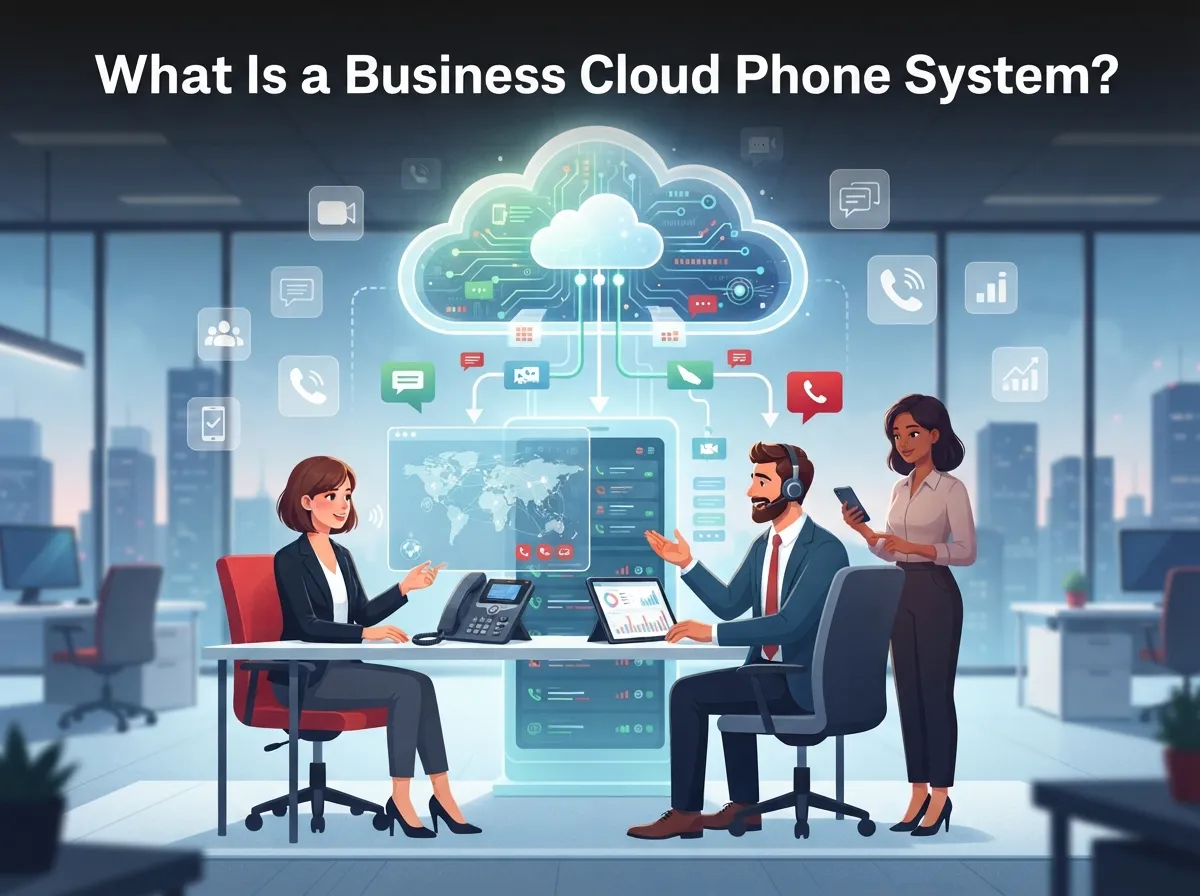
That’s where a business cloud phone system comes in. It moves your calling to a provider-hosted platform, so you can take calls from a desk phone, a laptop, or a mobile app. No big box of equipment humming in a closet.
But here’s the thing. Picking one can feel overwhelming. There are plans, features, network needs, and fine print to sort through. Don’t worry. This friendly guide walks you through each step, from figuring out what you need to going live. Whether you run a small shop, manage an office, or oversee several franchise locations, you’ll leave with a clear plan and the confidence to make a smart choice.
What Is a Business Cloud Phone System?
A business cloud phone system is a business telephone service that is hosted and managed in the cloud. It does not rely on a phone system box (called a PBX) sitting in your office. Instead, calls travel over your internet connection using VoIP, short for Voice over Internet Protocol. Your provider runs the call-control platform and connects your calls to the regular phone network.
Think of it like streaming music. You don’t own a shelf of CDs. You just log in and play. A cloud phone system works the same way for your business calls.
Cloud PBX, VoIP, and UCaaS: What’s the Difference?
These terms get tossed around a lot, and they overlap. Here’s a simple way to tell them apart.
| Term | What It Means | Best For |
|---|---|---|
| VoIP | The technology that sends voice calls over the internet | Anyone replacing old phone lines |
| Cloud PBX | A hosted phone system with call routing, extensions, and voicemail | Businesses focused mainly on calling |
| UCaaS | Unified Communications as a Service: calling plus video meetings, messaging, and collaboration tools | Teams that want everything in one app |
In short, VoIP is the engine, cloud PBX is the phone system, and UCaaS is the full communication suite. Many providers sell all three under one plan, so you can start simple and grow later. For a deeper look at the suite option, check out how to choose Unified Communications as a Service in 2026.

Why More Businesses Are Moving to the Cloud
The shift is real. Market researchers estimate the global UCaaS market at roughly $66 to $72 billion in 2025, with projections of about $78 billion in 2026. Estimates vary by firm and method, so treat them as general direction rather than exact numbers. A 2025 Bandwidth survey also reported UCaaS adoption up 11.8% compared with 2024, though that reflects the survey’s own respondents.
Why the momentum? A few simple reasons:
- Flexibility: Employees can use their business number from supported devices and locations, which helps with office, remote, and hybrid work.
- Less hardware: You can skip buying and maintaining an on-site PBX.
- Easier changes: Adding a new hire or a new location is often a settings change, not a service call.
- Built-in features: Auto-attendants, voicemail-to-email, and call routing come standard on many plans.
If you’re still weighing the two approaches, this comparison of hosted versus on-premises business phone systems lays out the tradeoffs in plain language.
Step 1: List Your Business Needs
Before you look at a single plan, take ten minutes to jot down what your team actually does on the phone. This step saves you from paying for features you’ll never touch.
- Count your users. Include office staff, remote workers, and anyone who needs a business number on their mobile phone.
- Map your call flow. Who answers first? Does a receptionist route calls, or should an auto-attendant do it?
- Note your locations. Single office, several sites, or franchise locations all need different setups.
- Identify your must-have tools. Do you use a CRM? Do you need call recording for training or compliance?
- Plan for growth. Where do you expect to be in two or three years?
Office managers, this is your moment to shine. You know the daily phone headaches better than anyone. Bring those notes to the table, and your decision will be much stronger.
Step 2: Know the Features That Matter
Feature lists can be long. Availability varies by provider and plan, so always confirm what’s included. Here are the common ones worth looking at.
Core Calling Features
- Auto-attendant and IVR: A friendly digital greeter that routes callers to the right person or department.
- Call routing and ring groups: Ring several phones at once or in a set order so no call slips through.
- Voicemail-to-email or transcription: Read your messages instead of listening to each one.
- Softphone and mobile apps: Make and take business calls from a laptop or smartphone.
Advanced Features for Growing Teams
- Call queues: Keep callers in line with a clear order for your team.
- Call recording: Helpful for coaching, quality checks, and record keeping.
- Analytics: See call volume, missed calls, and busy hours.
- CRM and software integrations: Connect calls to the tools you already use.
Want a deeper breakdown? Our guide on how to choose VoIP features that help your business grow helps you separate the nice-to-haves from the must-haves.
Step 3: Check Your Network Readiness
Here’s a step many people skip, and it’s one of the most important. A cloud phone system is only as good as the network it rides on. Call quality and reliability depend on your internet connection, your local network setup, and your power.
Ask yourself these questions:
- Do you have enough bandwidth to handle calls alongside everyday work like email, video, and file sharing?
- Is your Wi-Fi strong enough for softphones, or should key users be wired in?
- Do your switches and routers support quality-of-service settings that give voice traffic priority?
- Is your internal cabling in good shape?
Old or messy cabling is a surprisingly common cause of choppy calls. If your office wiring has seen better days, it may be worth a look at what structured cabling is for your business network. For general background, here’s a helpful overview of structured cabling and how it supports voice and data.
Your internet connection matters just as much. Not sure what speed you need? This guide on what internet speed you need for VoIP in Tampa is a handy starting point.
Step 4: Plan for Reliability and Outages
Let’s be honest. Cloud phones depend on the internet, so a smart plan includes a backup. The good news is that reliability can be very strong when you prepare for it.
Build Your Safety Net
- Backup internet: A second connection, such as a wireless or cellular failover, keeps calls flowing if your main line goes down.
- Backup power: A battery backup (UPS) keeps routers and key devices running during short power blips.
- Outage call handling: Ask your provider how calls are rerouted if your office loses connection. Many systems can forward calls to mobile phones automatically.
- Provider redundancy: Ask about data center backups and support commitments.
Curious about the bigger picture? Our article Is VoIP reliable for business? What to know in 2026 digs into this topic in detail.
Step 5: Understand the True Cost
Headline prices can be misleading. A low per-user price might hide extra charges, so look at the total cost of ownership. Here’s what usually goes into the bill.
| Cost Item | What to Ask |
|---|---|
| User licenses | Is the price per user, per month? Which features are included? |
| Calling plans | Are local and long-distance minutes unlimited or capped? |
| Phone numbers | Are there fees for extra or toll-free numbers? |
| Devices | Do you need desk phones, headsets, or just apps? |
| Setup and implementation | Are there installation or training fees? |
| Integrations | Do CRM or software connections cost extra? |
| Network upgrades | Will you need more bandwidth, new switches, or better cabling? |
| Contract terms | How long is the commitment, and what happens if you leave early? |
Compare total cost and contract terms, not just the monthly sticker price. Small business owners especially benefit from this approach, since a few surprise fees can add up fast. For a closer look at pricing, see 9 costs behind how much a business phone system costs.
Step 6: Don’t Forget 911 and Emergency Calling
This one is serious, so let’s take it slowly. In the United States, interconnected VoIP providers must meet applicable 911 and E911 obligations, according to the FCC. That means they need to provide 911 service and obtain and transmit registered location information.
What does that mean for you?
- Register accurate physical addresses for your users and devices.
- Update locations when people or devices move. A phone taken to a new office or home needs its address updated.
- Know the limits. VoIP emergency calling can be affected by power or internet outages, so have a backup plan, like a charged mobile phone.
- Train your team. Make sure everyone knows how emergency calling works on your system.
IT managers and franchise operators with many sites should treat this as a regular checklist item. A quick review each quarter keeps locations accurate and everyone safer. You can read more in the FCC’s guide to VoIP and 911 service.
Step 7: Think About Security and Compliance
Your phone system carries sensitive conversations, so security deserves attention. Ask any provider about encryption, access controls, and how they protect call recordings. If your business handles private data, such as healthcare or financial information, confirm what compliance support is available and whether call recording settings meet your rules.
Also look at how your phone system fits into your overall security picture. Many businesses pair cloud calling with a broader plan for networks and facilities. For more on that, see how to choose a data security service for business telecom.
Step 8: Plan Your Number Porting and Rollout
Good news: you can often keep your existing phone numbers when you switch. This is called number porting. Eligibility, timing, and any restrictions vary, so confirm the details with your provider before you start. Customers love hearing this, because nobody wants to reprint business cards or update every listing.
Here’s a simple rollout plan:
- Audit your current setup. List your numbers, lines, and contracts, and note any end dates.
- Start the porting request early. It can take time, so don’t wait until the last minute.
- Test your network. Check call quality and bandwidth before launch day.
- Train your team. A short walkthrough of the app and desk phones goes a long way.
- Go live in stages if you can. A pilot group helps you catch small issues early.
For the full story on keeping your digits, read how to keep your phone number when switching to VoIP in Tampa. And if you want to see what the whole process looks like from start to finish, how VoIP implementation works for your business walks through it.
Step 9: Match the System to Your Business Type
Different teams have different needs. Here’s a quick look at how the choice can change by business type.
- Small business owners: Look for simple setup, predictable pricing, and mobile apps. You want something that just works without a full-time IT person.
- Mid-sized companies: Prioritize integrations, analytics, call queues, and room to grow into a full UCaaS suite.
- IT managers: Focus on security, network readiness, admin controls, and provider support commitments.
- Office managers: Value easy user changes, clear support, and reliable day-to-day performance.
- Franchise operators: Choose a scalable platform that you can roll out consistently across many locations, with central management and shared numbers.
Franchise owners with sites across Tampa Bay and beyond will especially appreciate a single platform that keeps every location on the same page. If that sounds like you, take a peek at 7 multi-location telecom solutions Florida firms need.
Step 10: Get Expert Help Comparing Options
Here’s a little secret. You don’t have to sort through dozens of providers on your own. An independent telecom partner can compare options side by side, review your current setup, and point out where you may be overpaying.
That’s exactly what Ideal Solutions Provider does. With over 24 years of experience and partnerships with 35+ vetted suppliers, the Tampa-based team acts as a single point of contact for phones, internet, cabling, and more. You can explore their cloud based phone systems to see how it all fits together. Prefer a quick overview first? How to choose a cloud based phone system in 2026 is a great companion read.
Handling phones, internet, and cabling through one partner also means fewer vendors to chase when something needs attention. For businesses that like that idea, here’s why Tampa Bay businesses need one telecom partner.
Common Mistakes to Avoid
Before you sign anything, watch out for these easy slip-ups:
- Skipping the network check. A great phone system on a weak network still sounds bad.
- Ignoring contract terms. Long commitments and early-exit fees can sting later.
- Forgetting 911 setup. Always register and update locations.
- Buying too much, or too little. Match features to real needs and revisit them as you grow.
- Having no backup plan. Plan for outages before they happen.
Want to learn from other owners’ missteps? Here are 7 cloud phone system mistakes Tampa owners regret.
Ready to Pick Your Business Cloud Phone System?
Choosing a business cloud phone system doesn’t have to be stressful. Start by listing your needs, then check your features, network, backup plans, true costs, and 911 setup. Plan your number porting, train your team, and match the system to the way your business really works. Do those things, and you’ll end up with calling that feels simple, flexible, and dependable.
And remember, you don’t have to figure it all out alone. If you’d like a friendly second opinion, a side-by-side comparison, or a free review of your current setup, contact us and the Ideal Solutions Provider team will help you find the right fit. You can also call us anytime to talk it through. Want to see the team in action first? Check out their updates on YouTube.
FAQs
Q: What is a business cloud phone system?
A: A business cloud phone system is a phone service hosted and managed by a provider instead of an on-site PBX. Calls travel over your internet connection using VoIP, and the provider handles the call-control platform and connects you to the regular phone network. It’s a flexible way to keep your team connected from the office, home, or on the go.
Q: How much does a cloud phone system cost for a business?
A: Cost depends on licenses, calling plans, phone numbers, devices, setup, integrations, support, and any network upgrades you need. Rather than judging by the per-user price alone, compare the total cost and contract terms. A free review from a telecom partner can help you spot hidden fees.
Q: What happens to my cloud phone system during an internet outage?
A: Because calls use the internet, an outage can affect service unless you plan ahead. Smart backups include a second internet connection, battery power for key equipment, and automatic call forwarding to mobile phones. Ask your provider how calls are handled during outages before you sign.
Q: How does 911 work with a business VoIP phone system?
A: In the U.S., interconnected VoIP providers must meet applicable 911 and E911 rules, which include using registered location information. Be sure to register accurate physical addresses and update them whenever users or devices move. Keep in mind that power or internet outages can affect VoIP emergency calling, so have a backup plan.
Q: Can employees use a cloud phone system from mobile phones or remote locations?
A: Yes, in most cases. Many systems offer desktop and mobile apps that let employees use their business number from supported devices and locations. This makes cloud calling a great fit for remote and hybrid teams, though features vary by provider and plan.





