
Key Takeaways
-
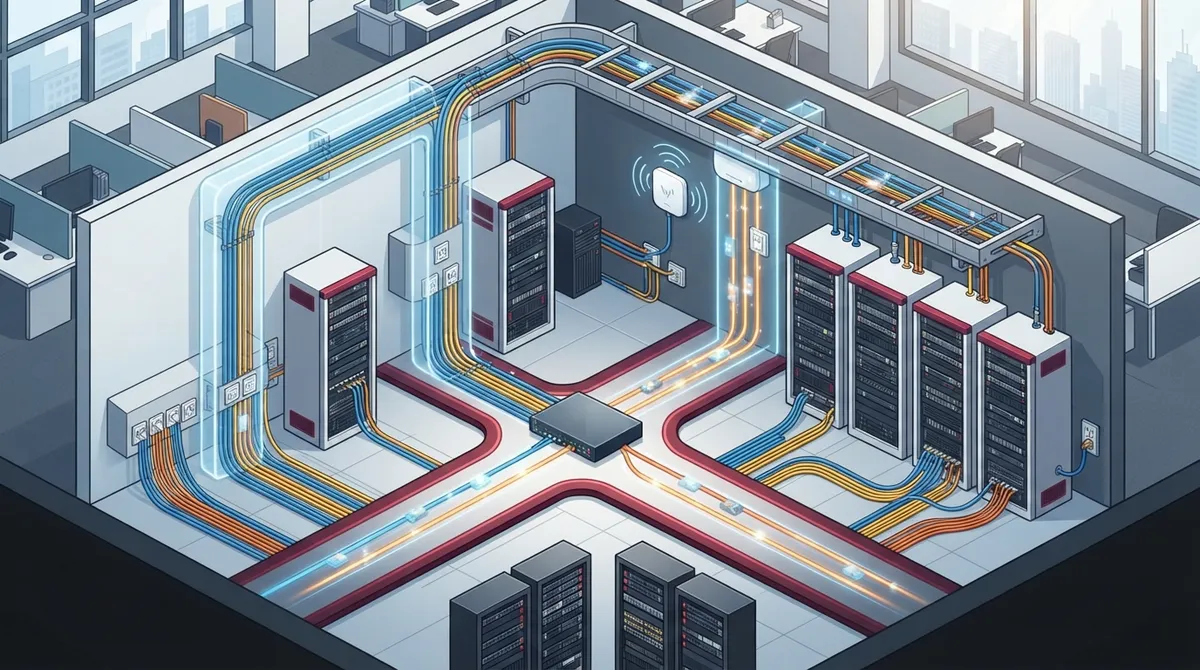
Structured cabling is passive infrastructure: it provides the physical pathways while switches, routers, and Wi-Fi access points provide the active traffic that runs on them.
-
A structured cabling system is built from six subsystems: entrance facilities, equipment rooms, backbone cabling, telecom rooms, horizontal cabling, and work areas.
-
For copper horizontal cabling, plan for a 90-meter (295 ft) permanent link and a 100-meter (328 ft) full channel including patch cords, and confirm limits with your installer.
-
Install extra outlets during the initial build, since adding them later costs far more, and insist on certification testing and labeling from day one.
-
Cat 6 suits most small and mid-sized offices, Cat 6A supports 10GBASE-T over a full 100 m channel and high-power PoE, and fiber is best for backbone links and long distances.
-
Ask for labeled outlets, labeled patch panels, and as-built drawings, since this documentation speeds up moves, adds, changes, and troubleshooting.
If you have ever opened a network closet and found a tangle of mystery cables, you are not alone. Many Tampa offices grow one cable at a time, and soon nobody knows what plugs into what. The good news? There is a better way, and it is easier to grasp than you might think.
This guide offers structured cabling systems explained in plain English. You will learn what the system is, how its six parts fit together, and how to plan one for your own space. Whether you run a small shop, manage an office, or oversee IT for several sites, you will leave with a clear picture and a simple plan.
Think of structured cabling like the plumbing in your building. You do not see it, but everything depends on it. Phones, Wi-Fi, security cameras, and computers all ride on it. Let’s walk through it together, step by step.
What Is a Structured Cabling System?
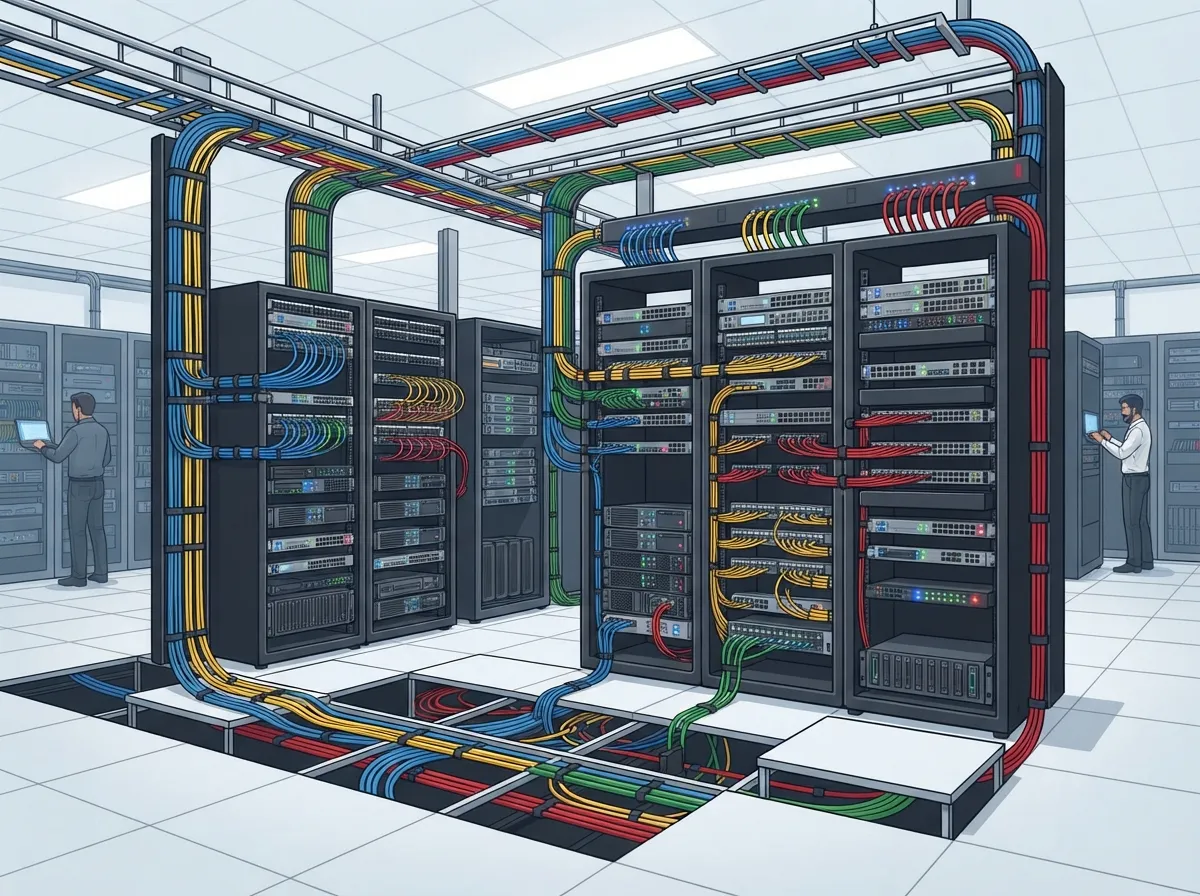
A structured cabling system is an organized, standards-based network of cables, connectors, pathways, and patch panels. It carries voice, data, video, and other signals throughout your building. Instead of running a separate cable for every new gadget, you build one shared foundation that supports many services. You can read a short overview of structured cabling for the technical background.
Here is the key idea. Structured cabling is passive infrastructure. It provides the physical roads. Active gear, like switches, routers, Wi-Fi access points, and VoIP phone systems, is the traffic that drives on those roads.
Why It Beats Ad-Hoc Wiring
Ad-hoc wiring means adding cables whenever a need pops up. It works for a while, then it turns into a headache. If this sounds familiar, our comparison of structured cabling vs. ad-hoc wiring shows the difference in detail.
- Easier changes: Moving a desk or adding a phone takes minutes, not days.
- Faster fixes: Clear labels help technicians find problems quickly.
- Better performance: Tested cabling cuts down on dropped calls and slow connections.
- Room to grow: One system supports many future needs.
The Six Subsystems Explained
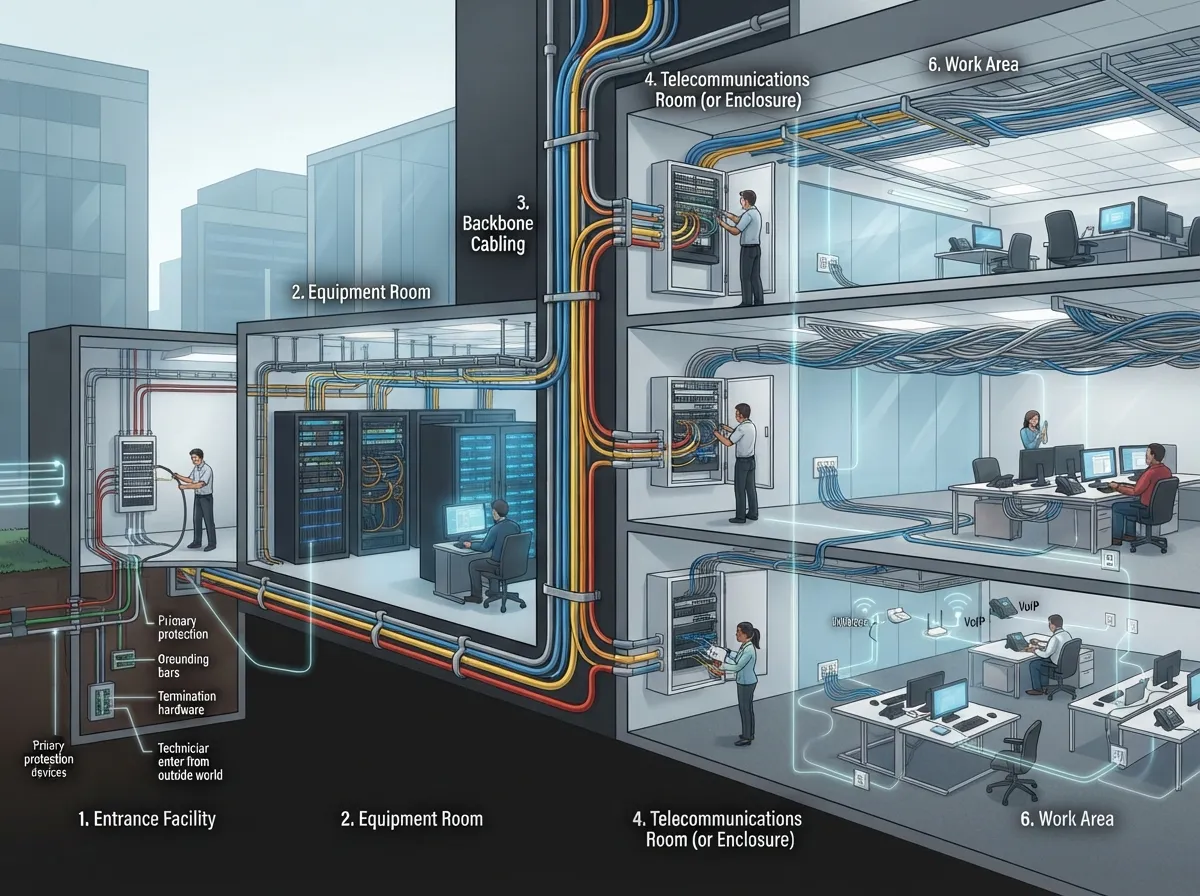
A commercial structured cabling system is usually described in six parts. Each part has a clear job. Knowing them makes it much easier to talk with a contractor and read a project plan.
| Subsystem | What It Does | Simple Example |
|---|---|---|
| Entrance facilities | Where outside provider services enter the building | Your internet or phone line arriving from the street |
| Equipment room | Houses main networking and phone equipment | A room with core switches and servers |
| Backbone cabling | Links entrance, equipment, and telecom rooms | Fiber running between floors |
| Telecommunications room | Connects backbone to horizontal cabling on each floor | A wiring closet with patch panels |
| Horizontal cabling | Runs from the telecom room to wall outlets | Cables to each desk |
| Work area | Where people and devices connect | Outlets, patch cords, and your computer |
Entrance Facilities and Equipment Rooms
The entrance facility is your front door for outside services. Your Internet Service Provider and phone carriers connect here. From there, signals travel to the equipment room, where your main gear lives. If you are still choosing a connection, our guide to what to look for in a business internet provider can help.
Backbone and Telecommunications Rooms
Backbone cabling is the main highway of your building. It links the entrance, equipment rooms, and telecom rooms. Many businesses use fiber here because it handles high speeds and longer distances well. Copper can also work where it fits the distance and equipment. Our article on how to choose fiber cabling for your business network goes deeper on that choice.
Horizontal Cabling and Work Areas
Horizontal cabling is what most people picture. It runs from the telecom room to the outlets in each work area. A common planning tip is at least two outlets per work area, though your needs may call for more. Think about phones, computers, printers, and cameras when you count.
How to Plan Your Structured Cabling System
Good planning saves money and stress. Follow these steps to build a plan that fits your business. For a deeper planning walkthrough, see how to plan network cabling installation in Tampa Bay.
- Walk the space. Note every room, desk, and spot where devices will connect.
- List your devices. Count computers, VoIP phones, printers, Wi-Fi access points, and cameras.
- Plan for growth. Add extra outlets now. It costs far less than adding them later.
- Choose your cable type. Match the category and fiber type to today’s needs and tomorrow’s upgrades.
- Map your pathways. Decide where cables will run through ceilings, walls, or conduit.
- Pick room locations. Place telecom rooms within distance limits and with good cooling and power.
- Plan testing and labels. Insist on certification testing and clear labeling from day one.
Know the Distance Limits
Distance matters in copper cabling. Under common standards, the permanent link for horizontal cabling is limited to 90 meters (295 feet). The full channel, including patch cords at both ends, is limited to 100 meters (328 feet). Always confirm the standard and design with your installer for your specific project.
Choosing the Right Cable Type
Cable choice is one of the biggest decisions in your project. Do not just chase the lowest price. Think about what your business needs now and in five to ten years.
| Cable Type | Best For | Key Points |
|---|---|---|
| Cat 5e | Basic, older setups | Fine for light use, but limited for future growth |
| Cat 6 | Most small and mid-sized offices | Solid performance for everyday business needs |
| Cat 6A | High-speed and high-power needs | Designed for 10GBASE-T over a full 100 m channel; supports high-power PoE |
| Fiber optic | Backbone links and long distances | High capacity and long reach |
Not sure which copper category fits? Our posts on CAT5e vs. CAT6 cabling and how to choose between Cat6 and Cat6A break it down simply.
Why Cat 6A Is Popular for Growing Teams
Category 6A is built to support 10GBASE-T over a full 100-meter channel. It also supports high-power Power over Ethernet, up to 90 W in relevant deployments. That matters if you plan to power cameras, access points, or phones over the same cable. Actual power depends on the PoE standard, the channel, and your equipment.
How Structured Cabling Supports Your Business Tools
One well-built system can carry many services at once. That is the real magic of structured cabling.
- VoIP phones: Reliable cabling keeps calls clear. See our guide on how structured cabling supports VoIP and cameras.
- Wi-Fi: Every wireless access point needs a wired connection back to your network.
- Security cameras: IP cameras can run on the same cabling, often powered by PoE. Learn what security cameras really do for your business.
- Access control: Door readers and controllers use the same pathways.
- Cloud tools: Cloud phones and cloud video need a steady wired foundation to work well.
Standards, Testing, and Documentation
Standards keep your system safe, reliable, and easy to support. In the United States, design and installation commonly follow ANSI/TIA-568. Internationally, ISO/IEC 11801 is widely used. Local building, fire, and electrical codes also apply.
Why Testing Matters
Testing proves your cabling performs the way it should. Certification testing checks each link against the standard. Skipping this step is a common and costly error. Our list of 12 structured cabling mistakes that hurt your business covers this and more.
Why Documentation Pays Off
Ask for labeled outlets, labeled patch panels, and as-built drawings. These records make moves, adds, and changes simple. They also speed up troubleshooting when something goes wrong. Future you will be very grateful.
What Affects Structured Cabling Cost?
Many owners ask about price first. The honest answer is that it depends on your project. Here are the main cost drivers.
- Number of drops: More outlets mean more cable, labor, and testing.
- Cable type: Cat 6A and fiber usually cost more than Cat 6.
- Building layout: Long runs, tall ceilings, and tough pathways add labor.
- New build vs. existing space: Retrofits can take more time than open construction.
- Extras: Racks, patch panels, conduit, and firestopping add to the total.
Want a deeper look at timing? Read how long structured cabling installation takes for a commercial building.
DIY or Professional Installation?
It can be tempting to run a few cables yourself. For a single outlet in a home office, that may be fine. For a business, the risks add up fast. Poor terminations, missing tests, and code issues can cause problems that are hard to trace. Our comparison of DIY vs. professional cabling explains the tradeoffs. If you decide to hire help, learn how to find a reliable structured cabling contractor.
Working With a Single Telecom Partner
Cabling does not live alone. It touches your internet, phones, cameras, and door access. Juggling several vendors can create gaps and finger-pointing. Ideal Solutions Provider has more than 24 years of experience helping businesses plan and install structured cabling services alongside phones, internet, networking, cloud video, and access control. With partnerships across 35+ vetted suppliers, they act as one point of contact from consultation through ongoing support.
This is especially helpful for franchise operators with many sites and IT managers who want one team accountable from start to finish.
Ready to Build a Cleaner, Stronger Network?
Now you have structured cabling systems explained from the ground up. Remember the big ideas: a structured cabling system is an organized, standards-based foundation made of six subsystems, built with the right cable for your needs, tested, labeled, and documented. Do that, and your phones, Wi-Fi, cameras, and doors all get a stable base to grow on.
You do not have to figure it out alone. Contact us for a free consultation, or call us to talk through your space. We would love to help you build a network that just works. You can also follow along on YouTube for helpful tips.
FAQs
Q: What is a structured cabling system in a business network?
A: It is an organized, standards-based setup of cables, connectors, pathways, and patch panels that carries voice, data, and video across your building. Instead of one-off wires for each device, it gives you one shared foundation that supports many services.
Q: What are the six subsystems of structured cabling?
A: They are entrance facilities, equipment rooms, backbone cabling, telecommunications rooms, horizontal cabling, and work areas. Together they connect your outside providers and main gear all the way to the outlets at each desk.
Q: How long can a structured cabling cable run be?
A: For copper horizontal cabling, a common design limit is 90 meters (295 feet) for the permanent link and 100 meters (328 feet) for the full channel, including patch cords. Always confirm the standard and design with your installer.
Q: Should a business choose Cat 6, Cat 6A, or fiber?
A: Cat 6 fits many everyday offices, while Cat 6A is a great pick if you want 10GBASE-T over a full 100 m channel or high-power PoE. Fiber shines for backbone links and long distances, so many businesses use a smart mix.
Q: What standards apply to commercial structured cabling?
A: In the United States, installations commonly follow ANSI/TIA-568, and ISO/IEC 11801 is used internationally. Local building, fire, and electrical codes also apply, so ask your contractor to confirm what fits your project.





