
Key Takeaways
-
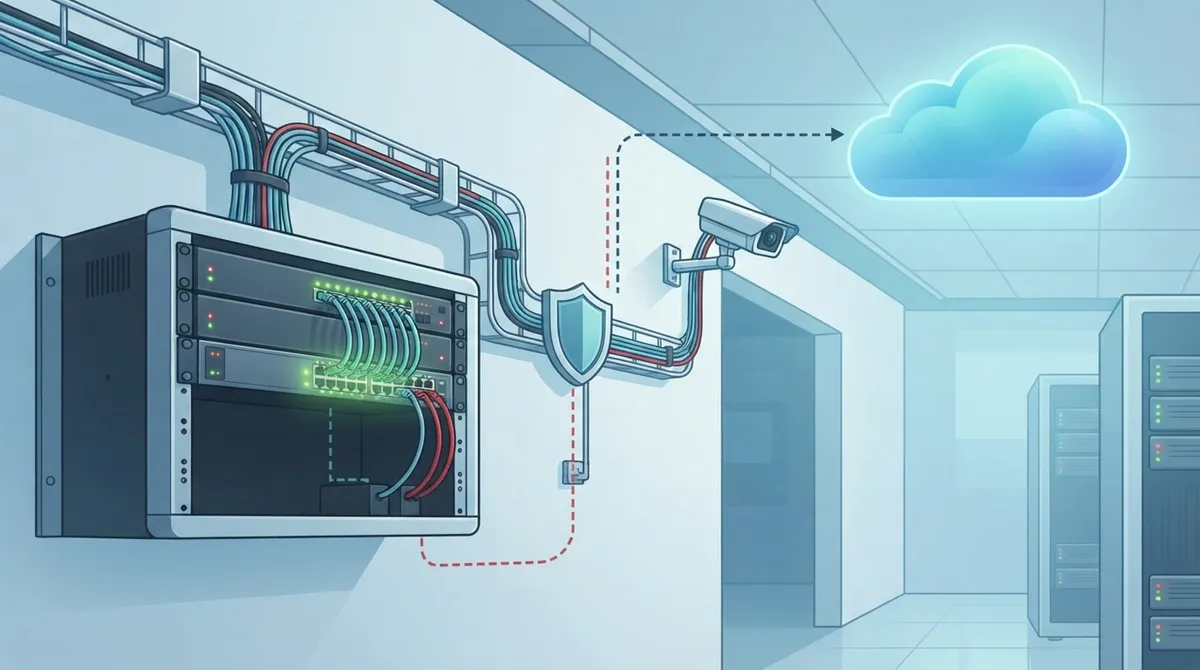
Most camera failures come from the network, power, or internet connection rather than the camera itself, so plan cabling, PoE switches, and bandwidth before buying cameras.
-
Estimate bandwidth and storage from resolution, frame rate, compression, retention period, and concurrent viewers, not just camera count.
-
Choose cloud, on-premises, or hybrid architecture based on your internet quality and management needs; hybrid recording with cloud access is a common middle ground.
-
Put cameras on a separate VLAN, change default passwords, apply firmware updates, and limit remote access to reduce the risk of cameras becoming an entry point into your network.
-
Add a backup internet link so remote viewing and cloud features keep working if your main connection goes down.
-
Check privacy notice, consent, and retention requirements for your location, and verify Section 889 compliance with documentation if you serve U.S. public-sector or federally funded clients.
Picture this: it is Monday morning, and you arrive at work to find a broken back door. You open the camera app, hoping for answers. Instead, you see a black screen and a spinning wheel. Sound stressful? It happens more often than you would think, and the cause is rarely the camera itself.
Here is the good news. Commercial security camera systems are easier to understand than they look. At their core, they are networked video tools. They need strong cabling, steady power, smart network design, and a reliable internet connection to work well.
In this friendly guide, we will walk through how these systems work, which setup fits your business, and how to avoid common headaches. Whether you run a small shop in Tampa, manage an office, oversee IT, or operate several franchise locations, you will find something useful here. Let us dive in!
What Are Commercial Security Camera Systems?
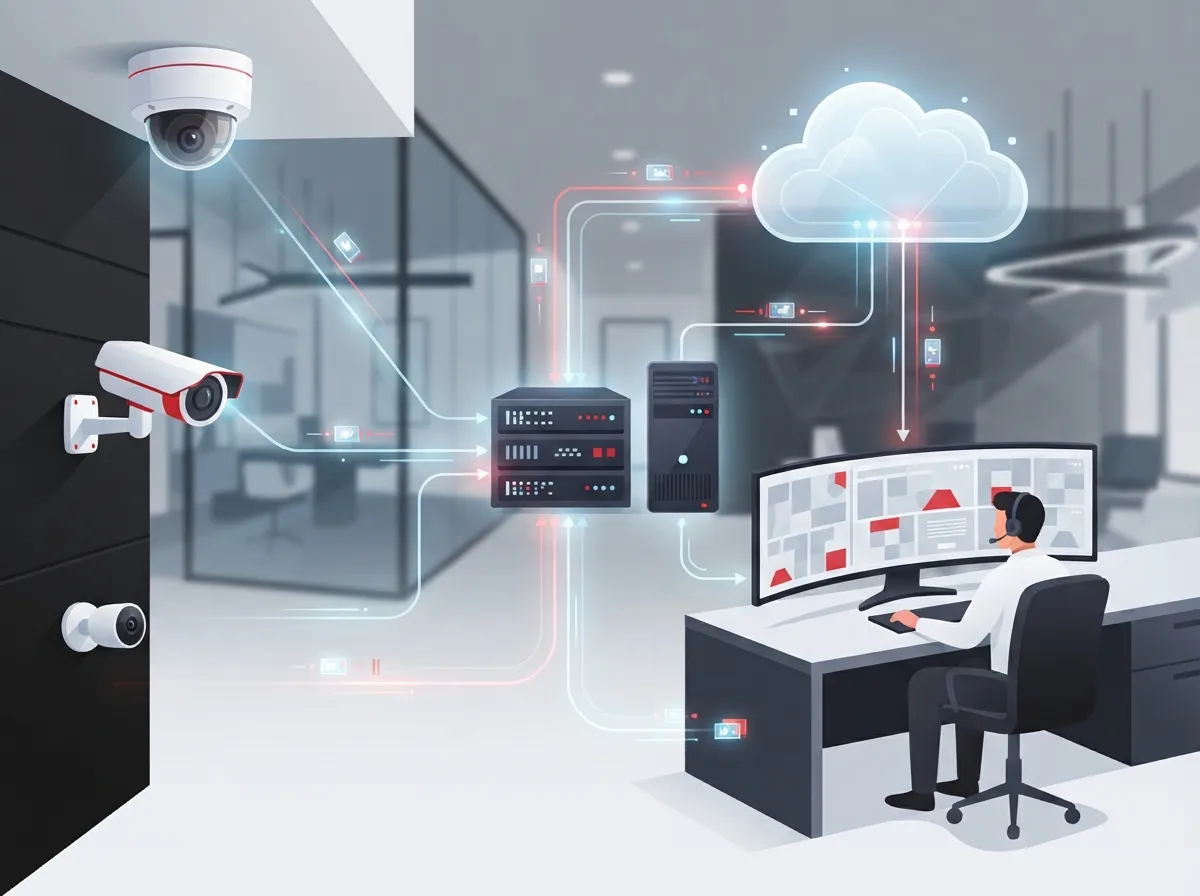
Commercial security camera systems are video setups that help businesses deter theft, review incidents, and keep an eye on daily operations. Most modern systems are IP-based. That means each camera sends digital video over a network to a recorder, a server, or a cloud platform.
Think of each camera as a tiny computer on your network. It needs a path to send its video, power to run, and rules to keep it safe. That is why a telecom and IT partner matters. The cameras are only one piece of the puzzle.
A complete system usually includes these parts:
- Cameras: Fixed, dome, bullet, or PTZ (pan-tilt-zoom) units placed where you need coverage.
- Cabling: Ethernet runs that carry data and, often, power.
- Switches: Network gear that connects cameras and delivers power over Ethernet.
- Recording and storage: A local recorder, a cloud service, or both.
- Internet or WAN connection: The link that allows remote viewing and cloud features.
- Software: The app or video management system you use to watch and search footage.
The market keeps growing, too. Grand View Research estimated the global commercial video-surveillance market at about US$31.36 billion in 2025, with a forecast of 11.5% yearly growth through 2033. These are market-research estimates, but they show how many businesses are investing in video security.
IP Cameras vs. Traditional CCTV
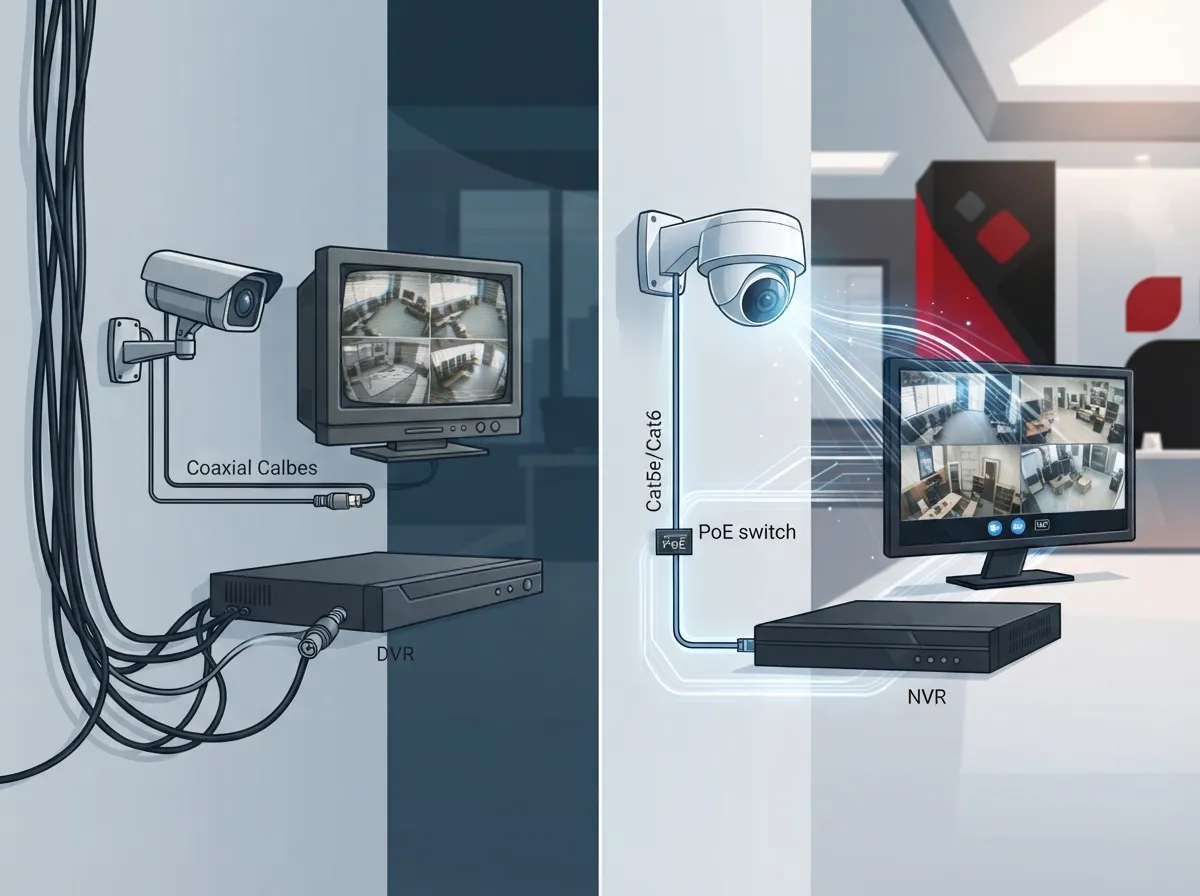
Older analog CCTV sends video over coaxial cable to a recorder. IP systems send digital video over Ethernet or Wi-Fi. That one change opens up a lot of benefits. If you want a deeper side-by-side, our article on IP cameras vs. analog CCTV covers it nicely.
| Feature | Analog CCTV | IP Camera System |
|---|---|---|
| Video quality | Lower resolution | Higher resolution options |
| Remote viewing | Limited or add-on | Built in on most systems |
| Cabling | Coax plus separate power | One Ethernet cable with PoE |
| Expansion | Tied to recorder ports | Easier to add cameras |
| Management | Per-site, hands-on | Centralized, often cloud-based |
One industry report from 2025 put IP-based deployments at about 64% of the global video-surveillance market. Market definitions differ between research firms, so treat numbers like these as helpful signals rather than exact facts. Still, the direction is clear: IP is where the industry is heading.
Why Your Network Matters as Much as Your Cameras
Here is something we tell clients all the time. A great camera on a weak network is like a sports car on a dirt road. It just cannot perform.
Video is a heavy user of your network. Camera count, resolution, frame rate, compression, retention period, and how many people watch at once all affect bandwidth and storage. You cannot guess these numbers from camera count alone. They should be engineered for your site.
If you want to see how the numbers play out for cloud setups, take a look at internet speeds your cloud cameras actually need. It is a helpful companion read.
Cabling and PoE
Power over Ethernet, or PoE, carries power and data over one cable. That makes installation cleaner and often cheaper. For fixed business cameras, wired Ethernet is usually the best choice because it is reliable and predictable.
Good structured cabling gives your cameras a solid foundation. It also supports your phones, computers, and access control at the same time. Our guide to security camera cabling for business goes into more detail, and you may also enjoy Cat5e vs. Cat6 if you are choosing cable types.
Switches, VLANs, and Backup Links
PoE switches power your cameras and move their video. Many businesses also place cameras on their own virtual network, called a VLAN. This keeps video traffic apart from your everyday office traffic and adds a layer of safety.
A backup internet link can help, too. If your main line goes down, a second connection keeps remote viewing and cloud features alive. We cover this idea in automatic internet failover tips.
Cloud, On-Premises, or Hybrid: Which Is Right?
This is the question we hear most. The honest answer is that each design has a sweet spot.
| Design | How It Works | Best For | Watch Out For |
|---|---|---|---|
| On-premises (NVR or VMS) | Video records to a local device | Sites with weak internet or strict data control | Hardware upkeep and manual updates |
| Cloud (VSaaS) | Video managed through a cloud platform | Multi-site teams that want simple remote management | Depends on internet and provider terms |
| Hybrid | Records locally with cloud access or backup | Businesses wanting resilience plus easy access | More parts to plan and manage |
Local recording can keep working during an internet outage. Cloud services can simplify remote management, but they depend on your connection and the provider’s rules. Many businesses land on a hybrid design to get the best of both.
If you are weighing options, these reads can help: Cloud vs. On-Prem: Which Camera Setup Wins? and Why Do Cloud-Based Security Systems Fail Without Fast Internet? The second one explains why connection quality matters so much.
For Tampa businesses in particular, Best Cloud Video Security Systems for Tampa Businesses in 2026 is a handy next step.
How to Plan Your System in 6 Steps
A little planning saves a lot of money later. Here is a simple path to follow.
- Define your goals. Are you deterring theft, protecting staff, watching inventory, or all three? Your goals shape camera type and placement.
- Walk the site. Note entrances, parking areas, cash counters, loading docks, and dark corners. Check where cable can run.
- Estimate bandwidth and storage. Base this on resolution, frame rate, compression, and retention, not just camera count.
- Choose your architecture. Pick cloud, on-premises, or hybrid based on your internet quality and management needs.
- Design the network. Plan cabling, PoE switches, VLANs, and a backup link.
- Install, test, and train. Check every camera view, test remote access, and show your team how to pull footage.
Want a sense of timing? Read how long camera installation takes for business. And if you are curious about camera counts, 10 factors that decide how many security cameras you need breaks it down.
Keeping Your Cameras Safe From Cyber Threats
Here is a point many owners miss. Networked cameras are computers, and computers can be hacked. A camera with default settings can become an easy door into your network.
Good habits go a long way:
- Change default usernames and passwords right away.
- Apply firmware updates and watch vendor support dates.
- Give each person a unique account with only the access they need.
- Keep cameras on a separate network or VLAN.
- Limit remote access and use encrypted connections where supported.
- Review logs so you spot odd behavior early.
For more on this topic, check out Is Cloud Video Security Actually Safe for Business? and How to Choose a Data Security Service for Business Telecom.
Smart Questions About Compatibility and Compliance
Does ONVIF Guarantee Everything Works Together?
Not quite. ONVIF Profile S covers IP video streaming between conformant devices and clients. It may also include features like PTZ control, audio, and metadata when supported. But a shared standard does not guarantee that every advanced feature works across every camera and video management system. Always check compatibility at the product and feature level before you buy.
What About Privacy and the Law?
Video surveillance comes with responsibilities. Rules vary by location and use case, so review notice and consent requirements, audio-recording limits, employee and customer privacy, access controls, and retention schedules. Also plan how you will respond to footage requests. Our posts on camera installation mistakes that break compliance and security camera permits for businesses are good starting points. This is general information, not legal advice, so check with a qualified professional.
Does Section 889 Apply to You?
Section 889 of the 2019 NDAA limits certain covered telecommunications and video-surveillance equipment and services. It mainly matters for U.S. public-sector buyers and some federally funded or contracted work. Whether it applies depends on your organization and contract or funding context. Verify current requirements and ask for proper compliance documentation. Do not rely on a marketing claim alone.
Storage and Retention: How Long Should You Keep Footage?
There is no single right answer. Retention depends on your industry, your risk level, your legal duties, and your storage budget. A retail store may keep footage for a few weeks, while a regulated facility may need longer.
More cameras, higher resolution, and longer retention all mean more storage. That is why planning matters. To learn more, explore security camera storage solutions to know in 2026 and how long security footage stays recorded.
Matching Your System to Your Business
Different businesses have different needs, and that is perfectly normal.
- Small business owners: You want clear coverage without a pile of vendors. A cloud or hybrid system with simple remote viewing often fits well.
- Mid-sized companies: You may need camera and access control working together, with growth in mind.
- IT managers: You care about segmentation, firmware, logs, and bandwidth. Plan these early.
- Office managers: You want something that just works, with support when it does not.
- Franchise operators: Consistency across sites matters. Cloud management makes it easier to view every location from one place.
If you run multiple sites, multi-location cloud surveillance is worth a read. Retail teams may like security cameras for retail stores, and warehouse managers can try cloud video security for warehouses.
Common Mistakes to Skip
After years in this field, a few mistakes come up again and again. The good news is they are easy to avoid when you know about them.
- Buying cameras first and planning the network later.
- Skipping bandwidth and storage math.
- Leaving default passwords in place.
- Placing cameras where lighting or glare ruins the image.
- Forgetting a backup internet link.
- Ignoring privacy notices and retention rules.
For a closer look, see 8 IP camera system mistakes that cost businesses big and 13 commercial camera installation mistakes that waste money.
Why One Partner Makes It Easier
Video security touches cabling, networking, internet, phones, and access control. When one company handles it all, there is less finger-pointing and fewer surprises. Ideal Solutions Provider is a Tampa-based telecom and IT partner with over 24 years of experience and 35+ vetted suppliers. As an independent partner, the team compares options for you, audits your current setup, and recommends what fits your needs. They also handle consultation, installation, and ongoing support. You can explore their cloud video security services to see how it all comes together.
Want to see how the pieces connect more broadly? Why Do Tampa Bay Businesses Need One Telecom Partner? explains the value of a single point of contact.
Ready to Protect Your Business?
Great video security is a team effort between cameras, cabling, network design, and smart habits. When each piece is planned well, your system quietly does its job day after day. That is the goal, and it is totally within reach.
If you would like a friendly set of expert eyes on your setup, contact us for a free consultation. Prefer to talk it through? Call us and we will gladly help you find the right fit. You can also see our work and tips on YouTube. We would love to help you feel confident about your security.
FAQs
Q: What is the difference between an IP security camera system and traditional CCTV?
A: Traditional CCTV sends analog video over coaxial cable to a recorder, while an IP system sends digital video over Ethernet or Wi-Fi to a recorder, server, or cloud platform. IP systems usually offer higher resolution, easier remote viewing, and simpler expansion. They are a friendly upgrade for most growing businesses.
Q: How much bandwidth does a commercial security camera system need?
A: It depends on camera count, resolution, frame rate, compression, retention, and how many people watch at once. That is why bandwidth should be engineered for your site instead of guessed from camera count alone. A quick network review can give you a clear, reliable number.
Q: Should a business choose cloud, on-premises, or hybrid video surveillance?
A: Cloud is great for simple remote management across locations, on-premises keeps recording even if the internet drops, and hybrid blends both. The best pick depends on your internet quality, privacy needs, and how many sites you manage. Many businesses find hybrid a comfortable middle ground.
Q: How can a business secure IP cameras against cyber threats?
A: Start by changing default passwords, updating firmware, and giving each user their own account with limited access. Place cameras on a separate VLAN, limit remote access, and review logs regularly. These simple habits make a big difference.
Q: Do NDAA or Section 889 requirements apply to my business?
A: Section 889 of the 2019 NDAA mainly affects U.S. public-sector buyers and some federally funded or contracted work, so it depends on your organization and contract context. Verify current requirements and ask for proper compliance documentation instead of relying on a marketing claim. When in doubt, a qualified professional can help you sort it out.





